Scriptable Items #
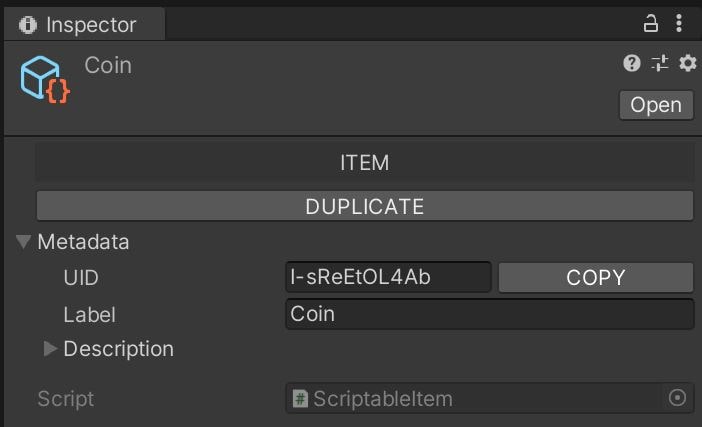
ScriptableItem is a very simple superstructure on top of regular ScriptableObject. It can represent anything that should be clearly identifiable.
Each ScriptableItem has its own UID, Label & Description. UID is guaranteedly unique across other Scriptable Items in whole project.
ScriptableItem can be duplicated by clicking on DUPLICATE.
Project Window (Right Click) > Create > Dragon Arts > Common >
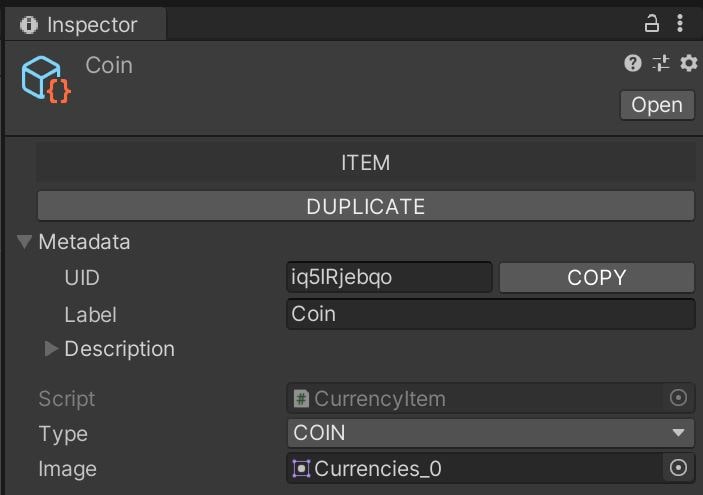
Scriptable Item ScriptableItem has only 3 attributes, but there is no problem to extend it:
using UnityEngine;
using UnityEngine.UI;
using UnityEditor;
using DragonArts.Common;
#if UNITY_EDITOR
[CustomEditor(typeof(CurrencyItem))]
public class CurrencyItemEditor : ScriptableItemEditor {
[MenuItem("Assets/Create/Dragon Arts/Custom/Currency", false, 50)]
private static void CreateCurrencyItem() {
CurrencyItem asset = ScriptableObject.CreateInstance<CurrencyItem> ();
asset.uid = EditorUtilities.GenerateUid();
EditorUtilities.CreateScriptableObject<CurrencyItem>(asset, "New Currency");
}
}
#endif
public enum Currency { COIN, SHARD_RED, SHARD_GREEN, SHARD_BLUE, GEM_RED, GEM_GREEN, GEM_BLUE, GEM_WHITE }
public class CurrencyItem : ScriptableItem {
public Currency type;
public Sprite image;
}
Project Window (Right Click) > Create > Dragon Arts > Custom > Currency Scriptable Groups #
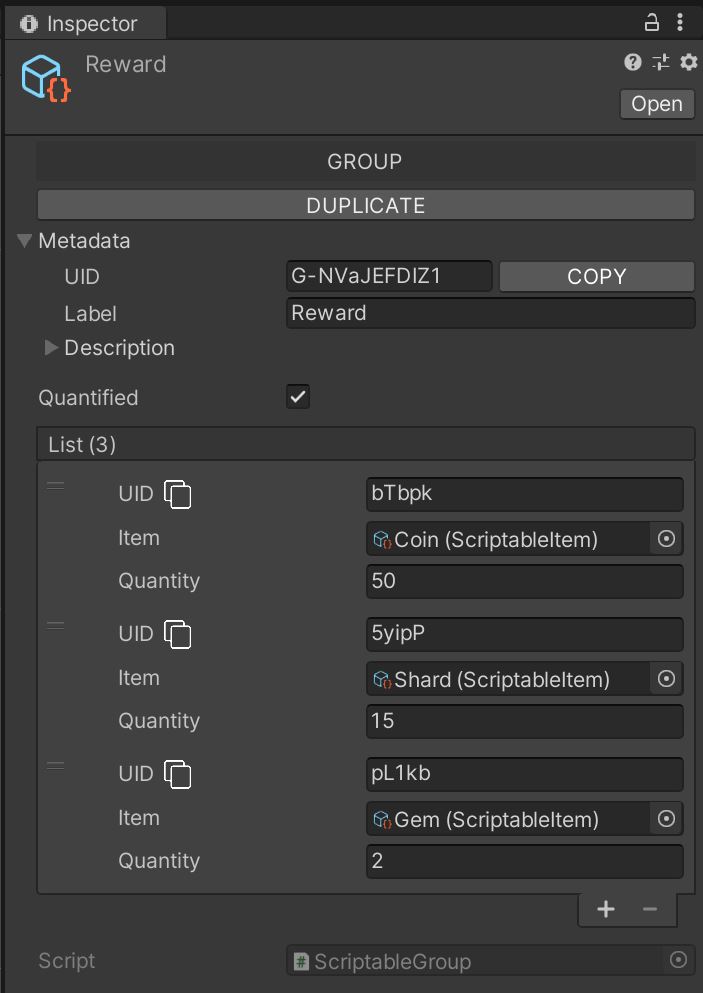
ScriptableGroup represents a group of Scriptable Items. It is derived from class ScriptableItem, so it inherits metadata attributes (UID, Label & Description).
Each ScriptableGroup has its own Reorderable List of classes ScriptableGroupItem, which is a wrapper for ScriptableItem with own UID.
UIDs can be easily copied to clipboard by clicking on ![]()
There is also a possibility to enable quantifying of items of the list by checking the Quantified checkbox.
Project Window (Right Click) > Create > Dragon Arts > Common >
Scriptable Group NOTE: You are free to add any derived class of ScriptableItem into the list, e.g. another ScriptableGroup, and this is how you can create hierarchical structures.